Tovik runs an agent inside the sites you’re already signed in to — inboxes, admin panels, spreadsheets, the internal
tool nobody wrote an API for. It keeps going until the job is done, and stops to ask before anything you’d want to see
first.
Free plan · Works with your own model subscription or API key
Finished 4m 12s
Pull three playful storefronts we can borrow from for the spring landing page.
Searched your bookmarks and last month’s history
Opened 6 candidate sites in agent tabs
Captured full-page screenshots
Saved 3 picks to Artifacts › spring-refs
Three references saved, each with a note on layout and type.
Finished 52s
Which San Francisco park is the largest, and how does it compare to Central Park?
Searched and opened 4 sources
Cross-checked the acreage figures
Wrote a two-line answer with links
Golden Gate Park — about 1,017 acres, roughly a fifth larger than Central Park’s 843.
Routine Weekdays 9:00
Every weekday at 9:00, brief me on the startup news I follow.
Opened your saved news tabs
Read 11 new articles
Flagged 2 that mention people in your notes
Wrote today’s briefing to memory › briefings
Briefing pinned to your new-tab page at 9:04.
Approvals
Nothing irreversible happens without your yes.
You set the line; Tovik stops at it. Reading and clicking happen freely inside the scope you choose.
Sending, paying, posting and deleting pause the run until you answer — and every saved login it touches is written down.
01 Scope
Decide how far it may go.
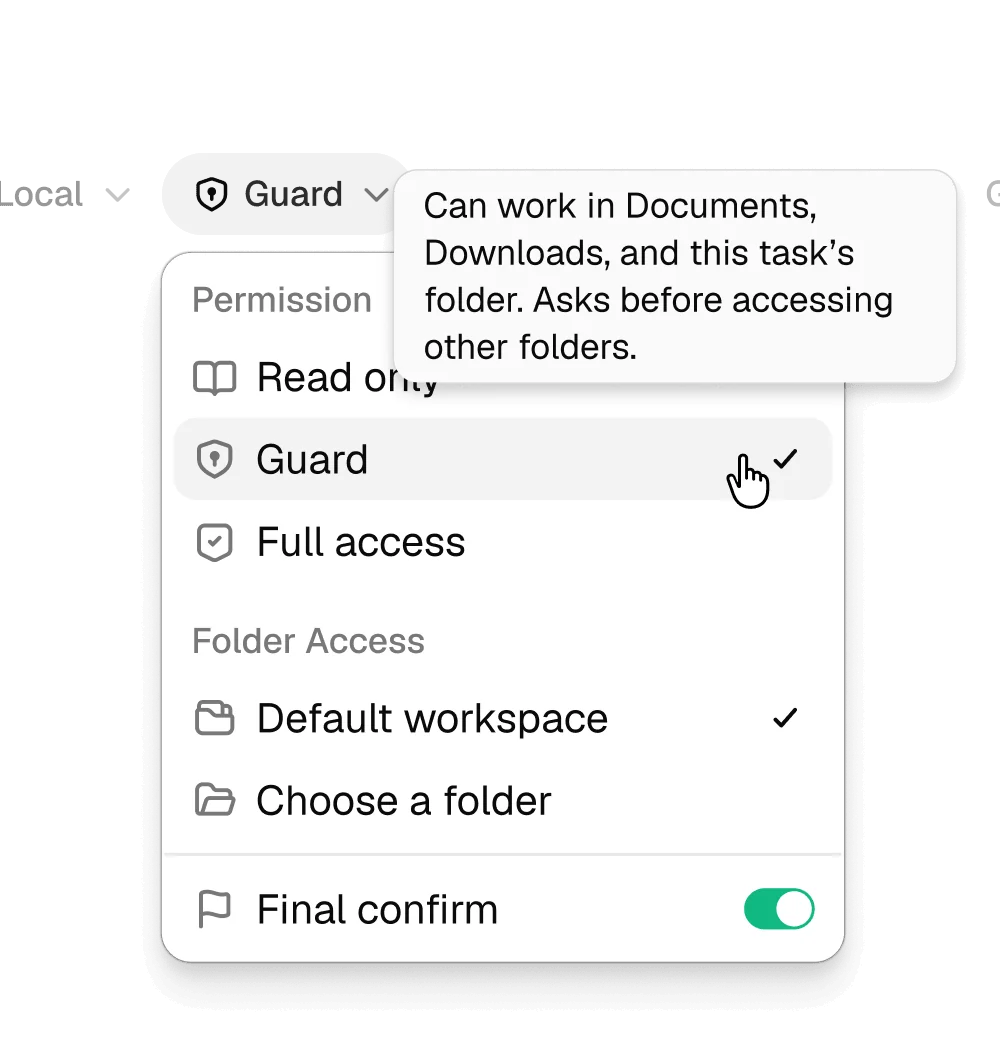
Every run starts under a permission mode. Read only looks and reports back. Guard works inside Documents, Downloads and the task’s own folder, and asks before reaching anywhere else. Full access is for jobs you have already watched it do once.
Set per task, not once for everything
Folder access is chosen next to the mode
A final-confirm switch holds the last step
agent tab · billing.acme.co Guard
Export October invoices and file them under Finance
Opened the billing dashboard — already signed in
Filtered invoices to Oct 1 – Oct 31
Downloaded 23 invoices as PDF
Moving files to ~/Documents/finance/2026-10
Email the summary to accounting — will ask first
02 Work
Inside the line, it just works.
Within the scope you set, Tovik navigates, reads tables, fills forms and opens tabs on its own — using the session already in your browser. Watch the agent tab if you like, or leave it running behind your own work.
Runs in agent tabs beside yours
Take over mid-step at any time
No connector or API key per site
03 Confirm
Anything you can’t undo waits for you.
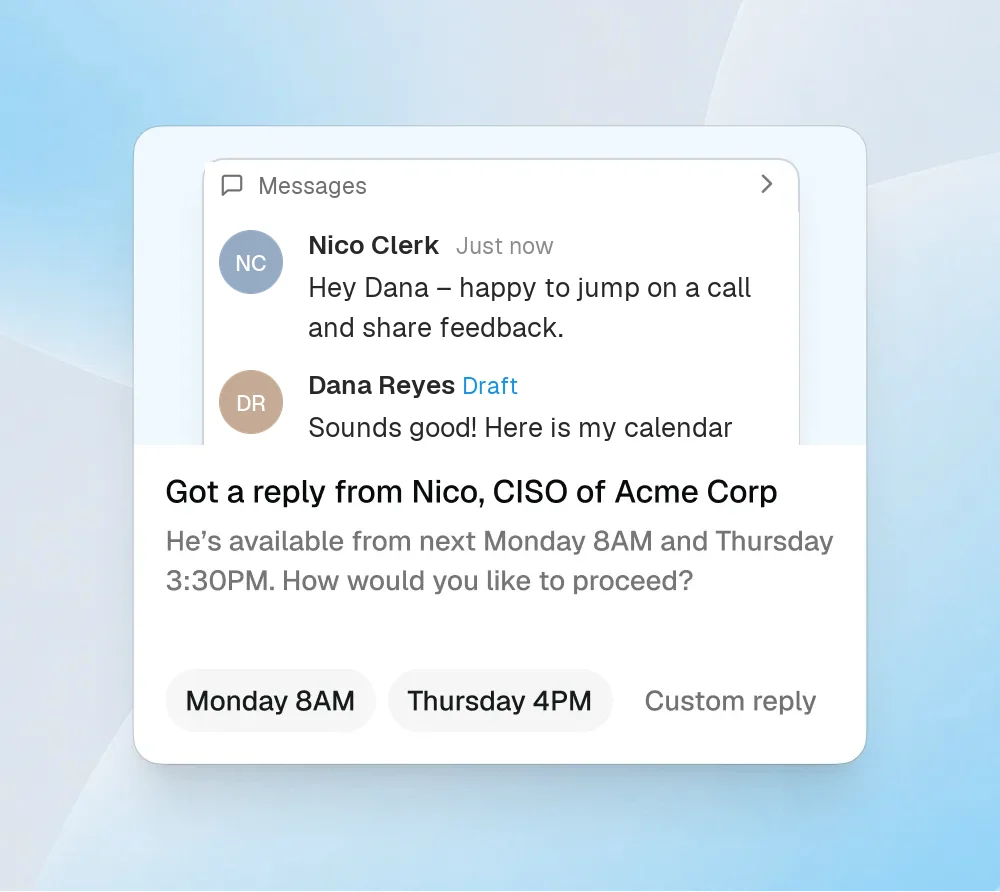
When the next step would send a message, submit a payment, publish a post or delete something, the run pauses. Tovik shows what it is about to do and drafts the likely answers, so saying yes takes one click.
Sends, payments, posts and deletes always pause
Drafted choices, or write your own
Ignore it and nothing happens
04 Record
Afterwards, a plain record.
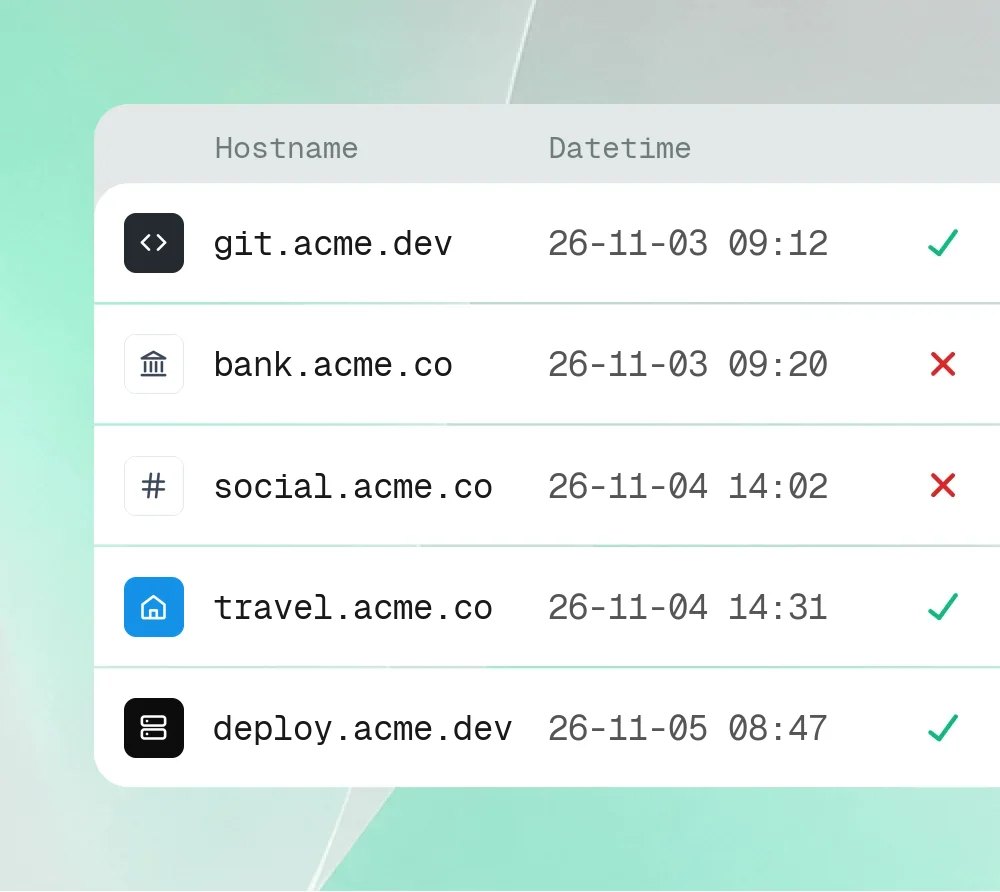
Each time the agent uses a saved login, Tovik writes the host, the time and the outcome to an audit log you can read. Requests you denied stay denied, and show up as such.
Host, time and allow / deny per entry
Kept on this computer
Review it from Vault settings
Session-native
It uses the logins you already have.
If you can do it in a tab, Tovik can do it in a tab. It works through the same signed-in session
you do — your cookies, your permissions, nothing extra — so there is no integration to install and no connector to wait on.
Admin consolesPayroll, billing, CMS and store back offices
Inboxes and chatReplies, follow-ups and scheduling across threads
Sheets and filesSpreadsheets in a tab, documents on your disk
Internal toolsThe dashboard your company built and never documented
A The connector route
Find out whether an integration even exists
Get an admin to approve the OAuth scopes
Paste an API key into one more settings page
Learn the API doesn’t cover the button you needed
B The Tovik route
Open the tab.
Say what you want done.
Sensitive steps still stop for approval — see above.
Tovik Vault
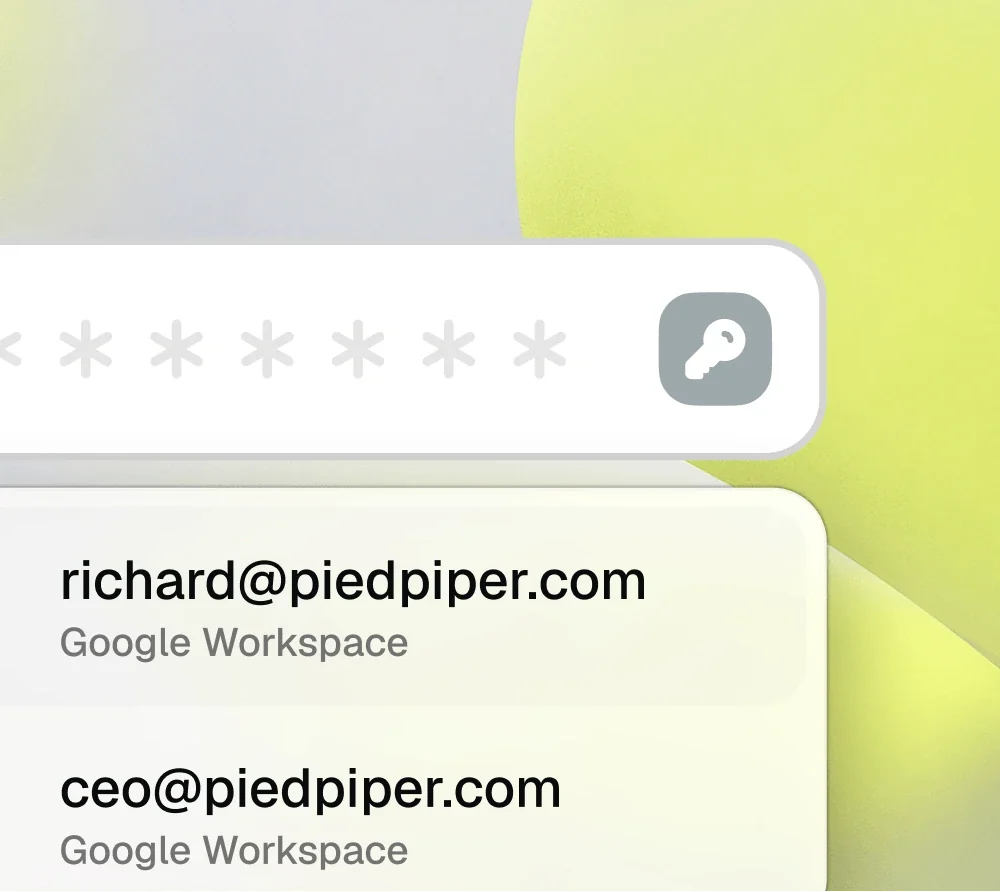
The agent signs in. The password never reaches the model.
Logins are stored encrypted on this computer and filled straight into the page by the browser — outside the agent’s context.
The agent learns that a sign-in happened, never what was typed.
You pick the account. The secret stays in the vault.
Rules per siteChoose which sites the agent may sign in to on its own, which always need you, and which it never touches.
Keys held by hardwareVault keys sit behind the Secure Enclave on Mac or the TPM on Windows where present, with a software-protected fallback.
A log you can readEvery fill is recorded with the host and the time, so you can see exactly which logins a task used.
Memory
Memory is a folder you can open.
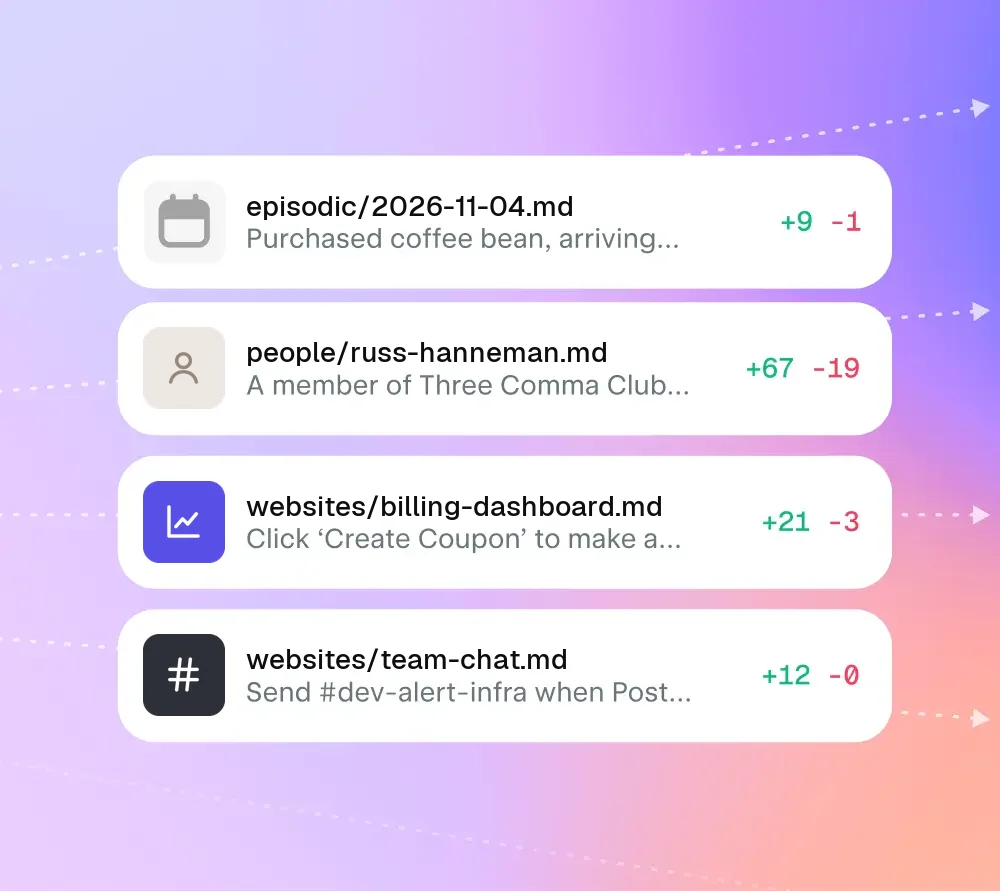
What Tovik learns is written down as plain Markdown on your disk — people, projects, the quickest
path through an awkward admin page. Open it in any editor, correct what’s wrong, delete what you’d rather it forgot.
~/Tovik/memory/MEMORY.md
people/
websites/
episodic/
# Memory index

- people/      14 files
- websites/     9 files
- episodic/    one file per day
- USER.md      how you like things done

Last written after: "Prep notes for Thursday's call"
# About you

- Short summaries; bullets over paragraphs
- Pacific time. No meetings before 10:00
- Signs emails "— D."
- Ask before booking anything over $300
# Nico Clerk

- CISO at Acme Corp
- Prefers calls Monday or Thursday mornings
- Last contact: asked for a feedback call (Nov 3)
- Source: messages tab, 2026-11-03
# billing dashboard

- Coupons live under Products → Coupons, not Settings
- "Export CSV" only appears after a date range is set
- Refunds over $100 → always ask first
# 2026-11-05

09:00  Morning briefing — 11 articles, 2 flagged
11:40  Drafted reply to Nico; waited for approval
11:52  Reply sent (approved)
15:10  Filed October invoices in ~/Documents/finance
Stays on this computer. Memory isn’t shared with anyone.
Yours to edit. Change a line and the next task uses it.
Every change is visible. See what a task added, and roll it back.
Tovik is a desktop app for macOS and Windows. Install it, sign in to the sites you want it to work in, and hand it the first
task — no server to run and nothing to configure per site.